

How to check SPF, DKIM and DMARC with Centoculus
Short answer
The mail domain check in Centoculus reads the SPF, DKIM and DMARC records of your domain once an hour and tells you in plain words what is missing or wrong, with ready-made DNS records to copy. It also checks MTA-STS, DNSSEC and whether your name servers agree, and alerts you when a setting breaks later.
Gmail, Yahoo and many other receivers reject or sort into spam mail from domains without SPF, DKIM and DMARC. The check type Mail domain reads these records, explains the result and gives you the record to set. After that it keeps watching, so a change at the DNS provider or a new mail service does not go unnoticed.
Step by step
1. Choose the check type Mail domain
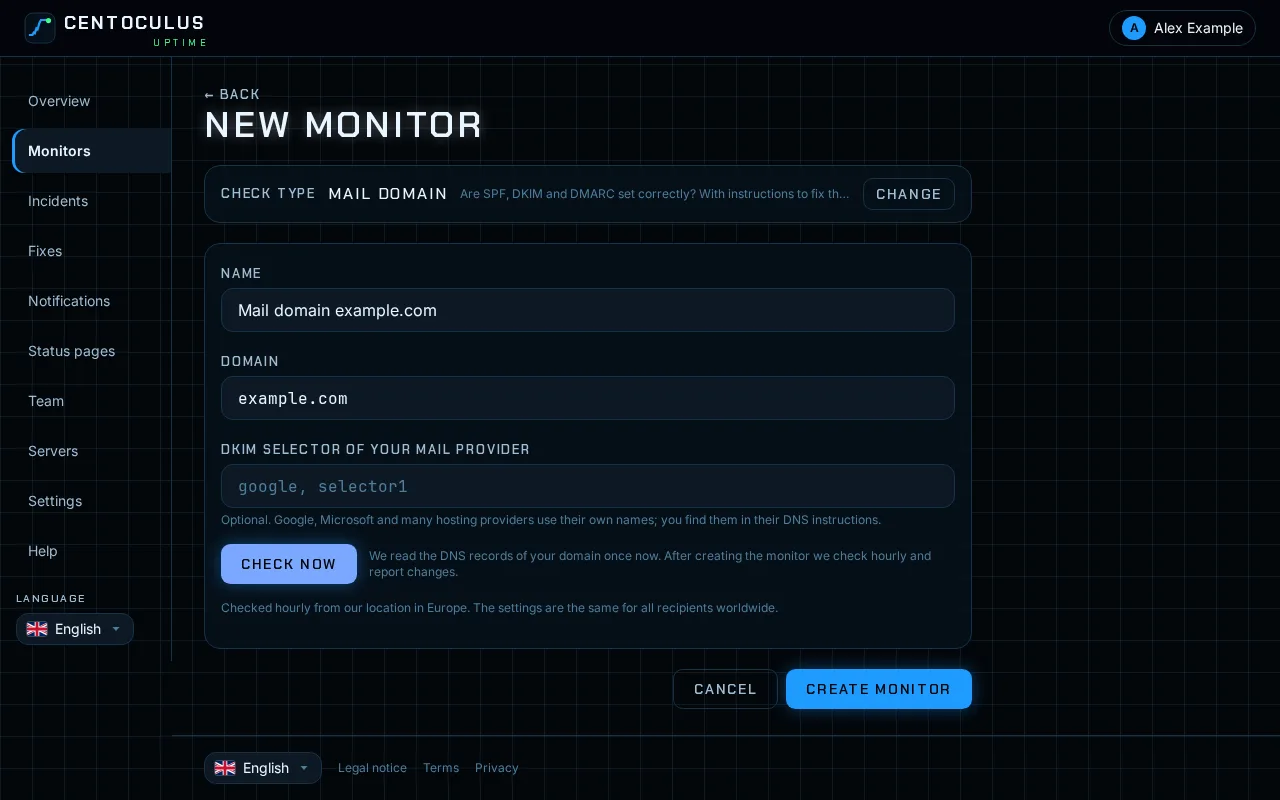
Open Monitors, click New monitor and choose Mail domain.
2. Enter the domain and check it
Enter the domain your mail comes from, for example example.com, without www or @. Click Check now to read the records once before you create the monitor.
3. Optional: DKIM selector
DKIM keys are stored under a name chosen by your mail provider, the selector. Centoculus looks for the usual names. If your provider uses its own, enter it under DKIM selector of your mail provider, for example google or selector1. You find it in your provider's DNS instructions.
4. Create the monitor and work through the list
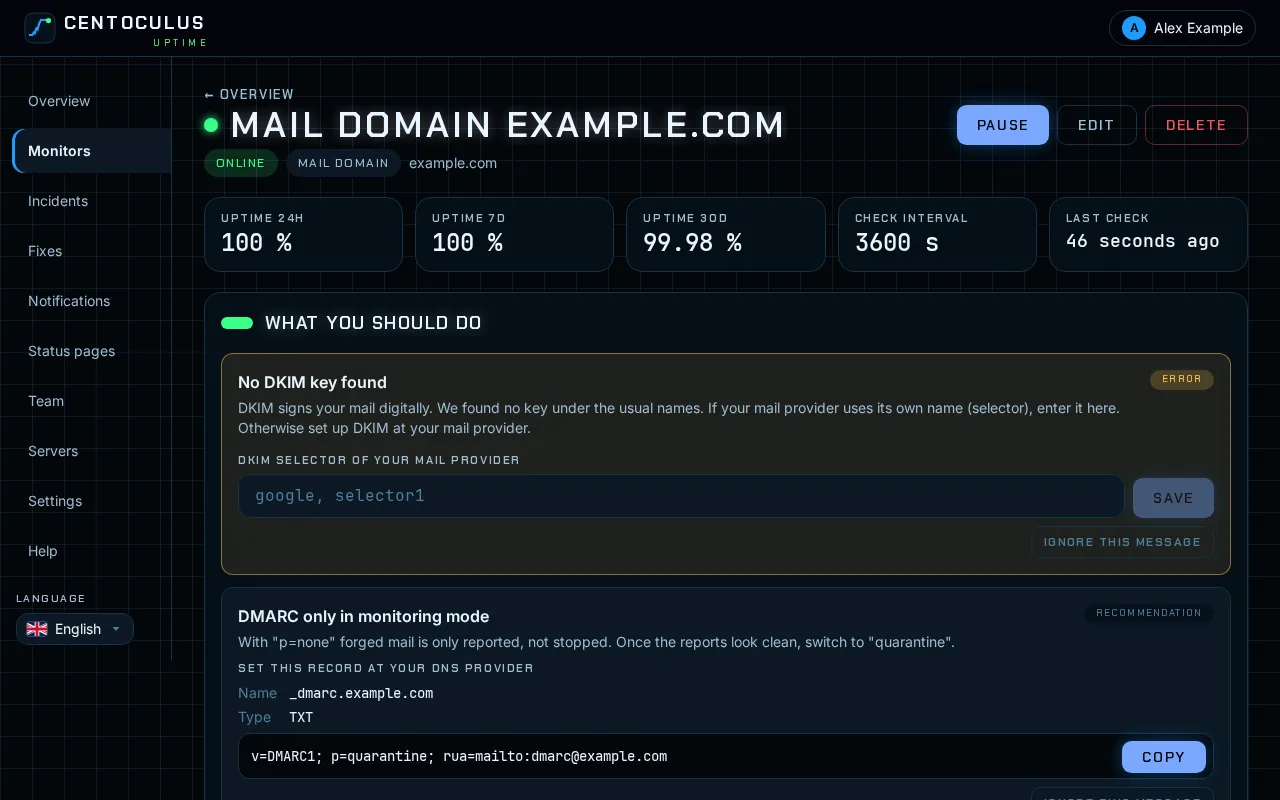
Click Create monitor. The first result appears within a few minutes. Under What you should do each finding is marked as an error or a recommendation, with the record to set at your DNS provider: name, type and value, ready to copy.
5. Build the SPF record
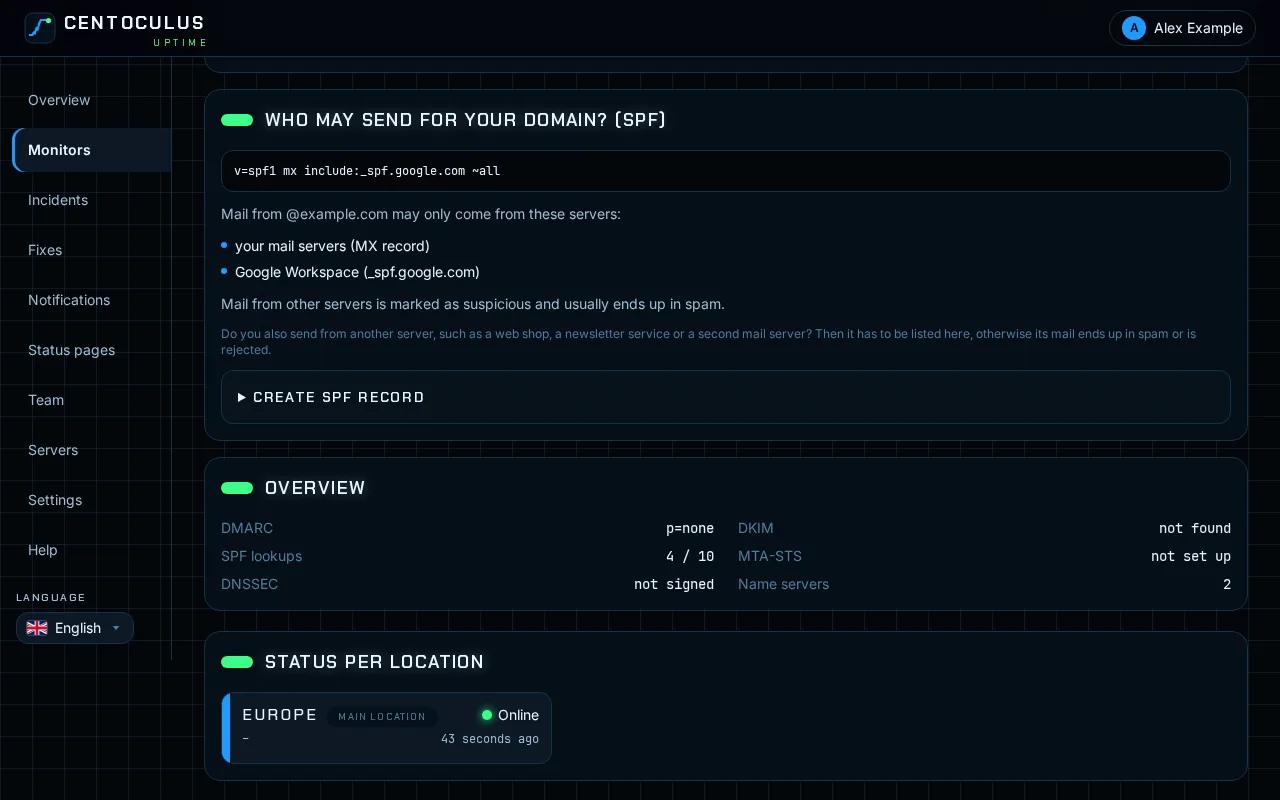
Under Who may send for your domain? (SPF) the check lists in plain words which servers may send mail for your domain. In the SPF builder tick your mail servers, the web server, further IP addresses and the services you send through, such as Google Workspace, Microsoft 365 or a newsletter service. The finished record appears below, ready to copy. There may only be one SPF record per domain.
What is checked
| Item | What the check looks at |
|---|---|
| SPF | Exactly one valid record, the allowed senders, the ending (~all, -all) and the number of DNS lookups (at most 10) |
| DKIM | A public key under the usual selectors or the ones you entered |
| DMARC | A policy exists, its mode (none, quarantine, reject) and an address for reports |
| MTA-STS | If set, whether the policy file is reachable and valid |
| DNSSEC | Whether the zone is signed and the signature is valid |
| Name servers | Whether all name servers return the same version of the zone |
Frequently asked questions
How often is the domain checked?
Once an hour. If a setting breaks or a new problem appears, you are alerted through your notification channels.
Can I ignore a recommendation?
Yes. Click Ignore this message. Ignored messages raise no alert. If the problem is fixed and comes back later, it is reported again.
DMARC is in monitoring mode. Is that a problem?
With p=none forged mail is only reported, not stopped. Start with it, read the reports, and once they look clean switch to quarantine. The check suggests the next step as a ready-made record.
Does this test whether my mail actually arrives?
No. It checks the DNS settings. To test real delivery, signatures and the spam score of an actual mail, use the mail delivery and spam test.
Is there a quick check without an account?
Yes. The free SPF, DKIM and DMARC checker checks a domain once, without monitoring.
Related
Free tool
SPF, DKIM and DMARC checkerMore help pages
- How to monitor a website with Centoculus
- How to monitor SSL certificates with Centoculus
- How to monitor a host with ping in Centoculus
- How to monitor a TCP port with Centoculus
- How to monitor DNS records with Centoculus
- How to monitor a cron job with Centoculus
- How to test email delivery with Centoculus
- How to monitor a server with the Centoculus agent
- How to set up check locations and alerts in Centoculus