

How to monitor a website with Centoculus
Short answer
A website monitor in Centoculus calls your URL at a fixed interval from several check locations and checks the HTTP status code, optionally a keyword on the page and, for https addresses, the SSL certificate. You are alerted only when enough checks and locations see the failure, so short network glitches do not wake you up.
The check type Website / HTTP answers one question: is the website reachable and showing the right content? It is the right type for web pages, shops, landing pages and API endpoints. One monitor covers the status code, an optional keyword and, for https addresses, the certificate.
Step by step
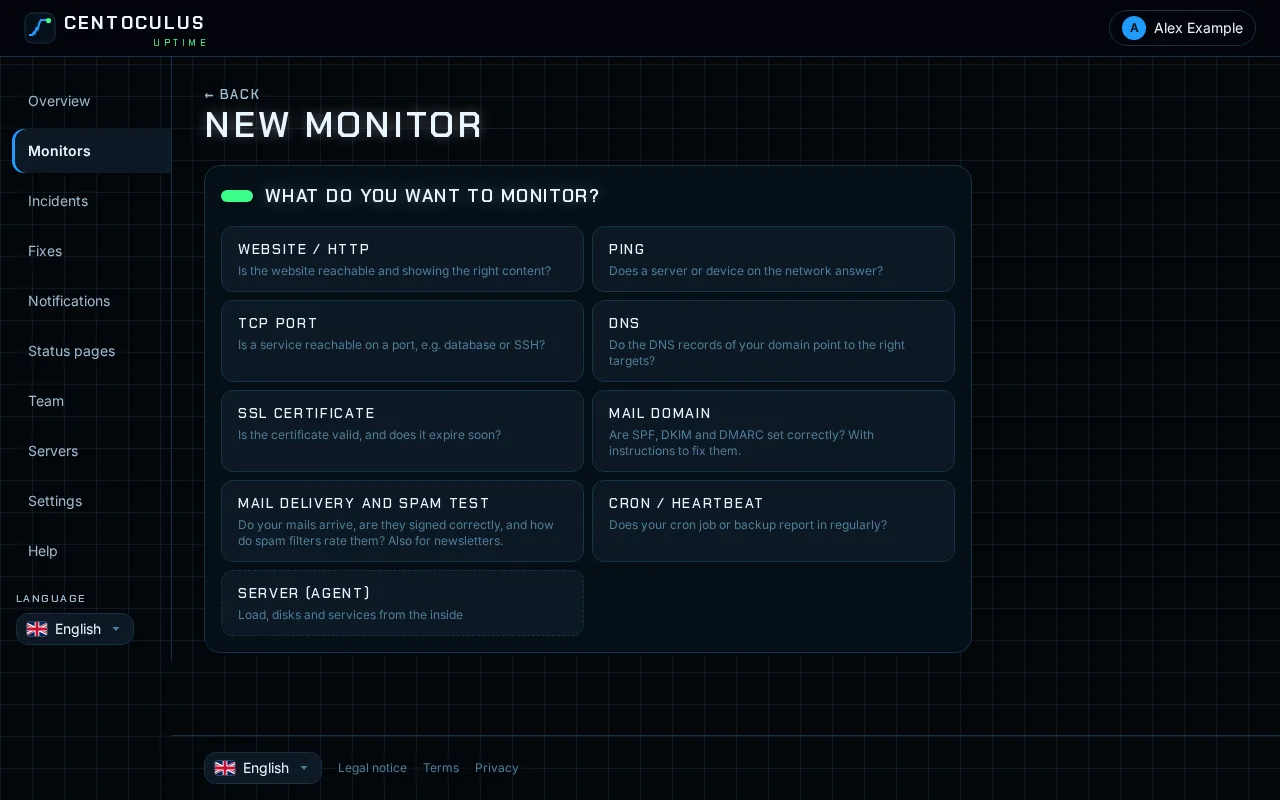
1. Add a monitor and choose Website / HTTP
In the app, open Monitors and click New monitor. Under "What do you want to monitor?" choose Website / HTTP.
2. Enter name and URL
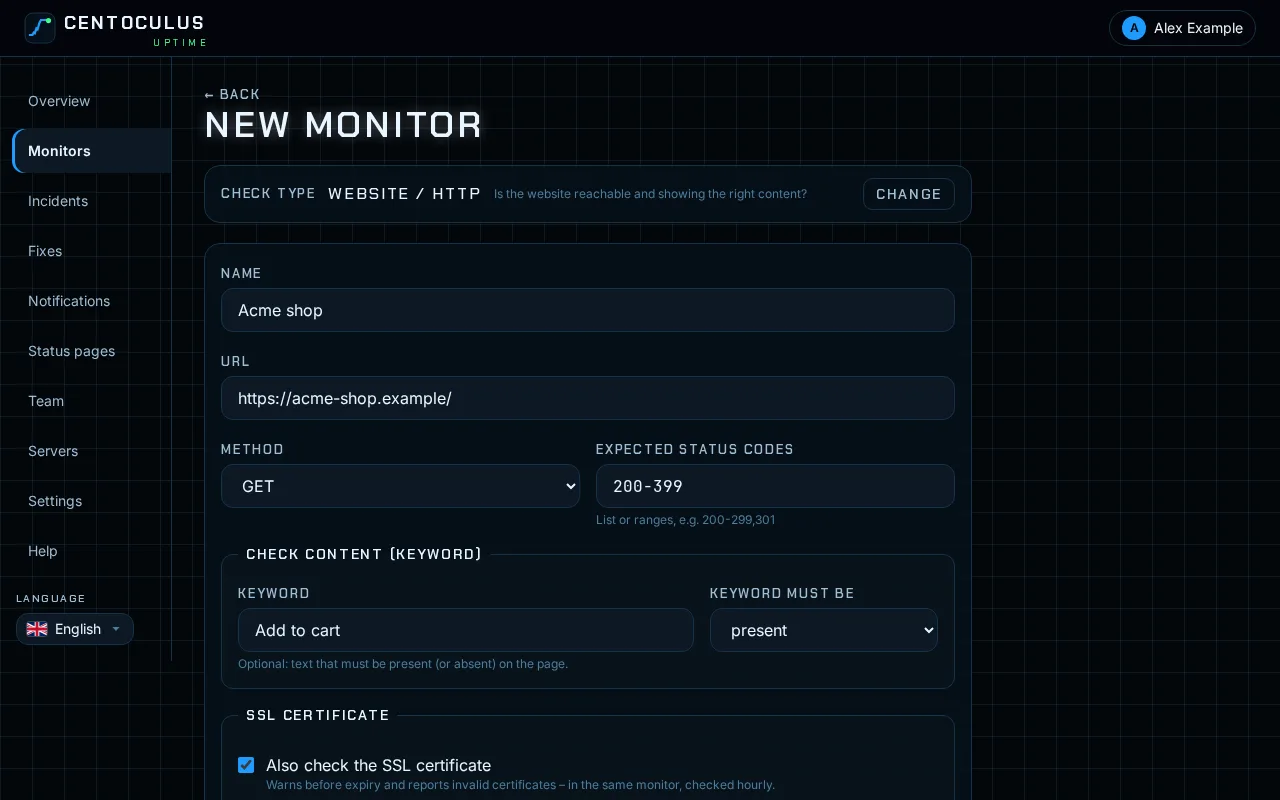
Give the monitor a name you will recognise in an alert, for example "Shop home page". Enter the full address including https://. The address must be publicly reachable; internal addresses are refused.
3. Set status codes and keyword
Expected status codes defaults to 200-399. You can enter a list or ranges, for example 200-299,301. Any other answer counts as a failure.
A page can return status 200 and still be broken, for example an error message instead of the shop. Enter a keyword that must be present (such as "Add to cart") or absent (such as "Database error") to catch that. Whether keyword checks are included depends on your plan.
4. Check the certificate and timeout
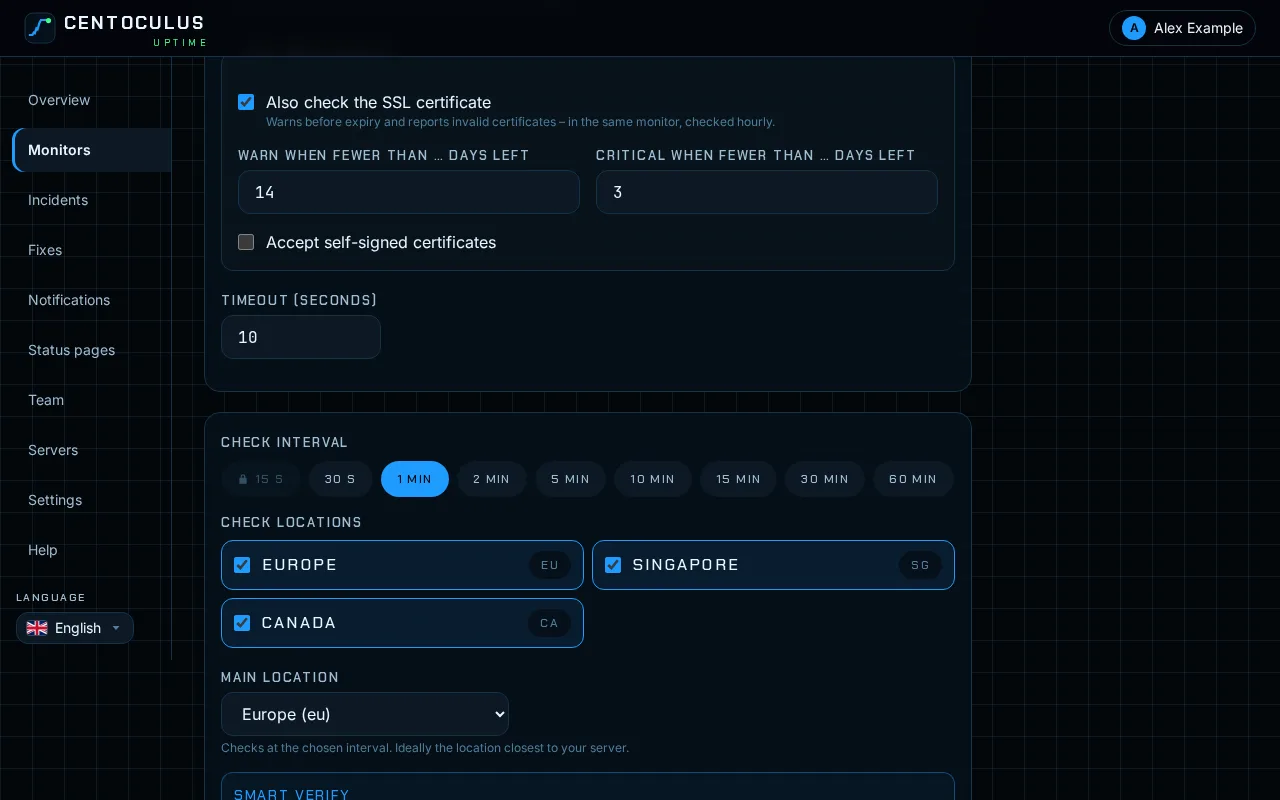
For https addresses, Also check the SSL certificate is ticked by default. The monitor then warns before the certificate expires and reports invalid certificates, without a second monitor. Set when to warn and when it becomes critical, in days before expiry. Under Timeout (seconds) set how long a check may take; the timeout must be shorter than the check interval.
5. Choose interval and locations, then create
Pick the check interval and the check locations. The shortest interval and the number of locations depend on your plan. How locations and alert thresholds work is explained in check locations and alerts. Click Create monitor. The settings are sent to the locations and the first check runs right away.
6. Read the results
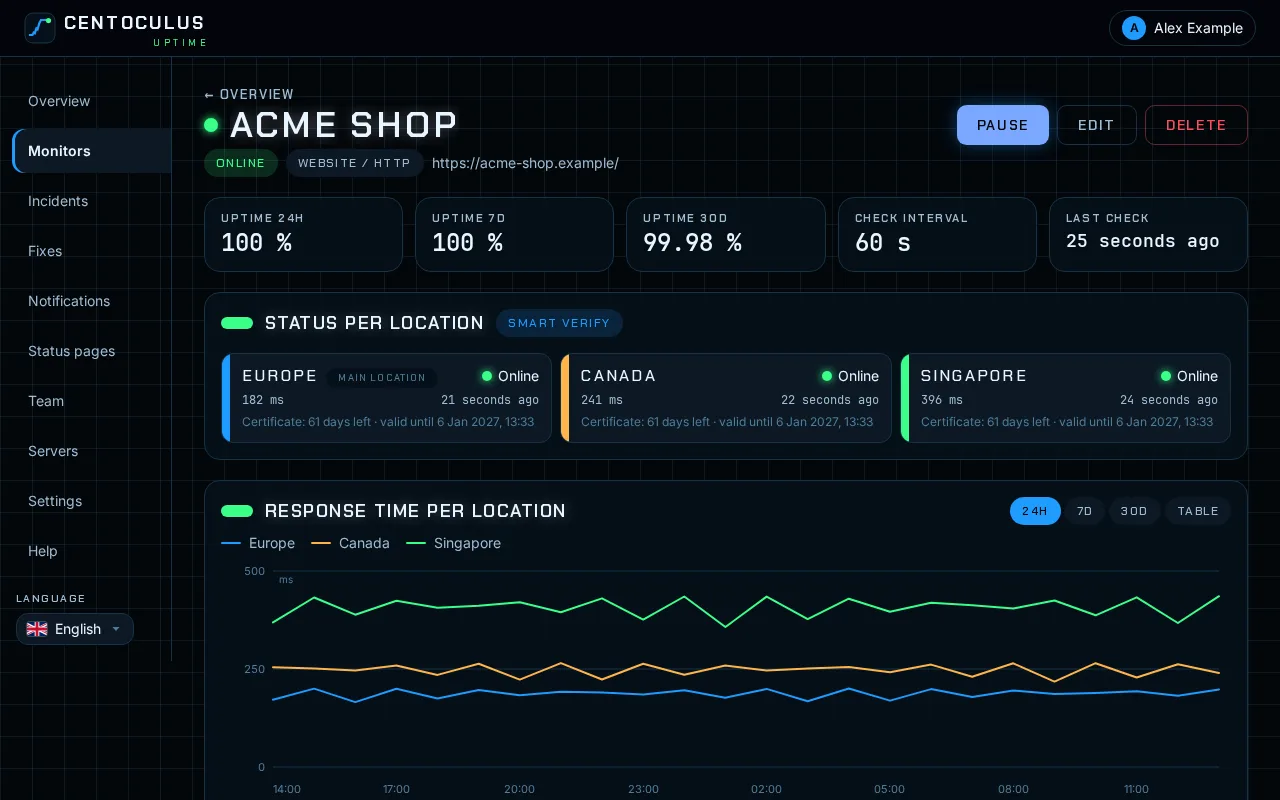
The monitor page shows the status per location, the response time per location over 24 hours, 7 or 30 days, the uptime of the last 30 days and all incidents. For https addresses each location also shows how many days the certificate has left.
Fields and defaults
| Field | What it does | Default |
|---|---|---|
| URL | Address that is called, http or https | – |
| Method | GET, HEAD or POST (POST for API endpoints, depending on your plan) | GET |
| Expected status codes | List or ranges that count as up | 200-399 |
| Keyword | Text that must be present or absent on the page | empty |
| Keyword must be | present or absent | present |
| Also check the SSL certificate | Certificate check in the same monitor (https only) | on |
| Warn / critical when fewer than … days left | Thresholds for the certificate | 14 / 3 |
| Accept self-signed certificates | No alert for self-signed certificates | off |
| Timeout (seconds) | Maximum time per check, 1 to 30 | 10 |
Frequently asked questions
Which check type fits my website?
Website / HTTP checks the address including status code, keyword and certificate in one monitor. Use the SSL certificate type only for certificates without a website, such as mail servers. For load, disks and services from the inside use the server agent.
Do redirects count as up?
With the default range 200-399 a redirect such as 301 or 302 counts as up. If only the final page should count, enter the final address and set the expected status codes to 200.
How do I monitor an API endpoint?
Choose the method POST or GET and set the status codes your API returns when it is healthy. A keyword such as "status":"ok" checks the answer. API checks with POST depend on your plan.
Why is my site down in the monitor but loads in my browser?
The check runs from outside, from several locations. A firewall, a geo block or a bot protection may block the check locations while your own connection works. The error shown per location tells you what was answered. The free website down checker gives a second opinion.
How often is the certificate checked?
Within a website monitor the certificate is checked hourly or once a day, depending on your plan. The app shows which applies under the certificate option.
Related
Free tool
Website down checkerMore help pages
- How to monitor SSL certificates with Centoculus
- How to monitor a host with ping in Centoculus
- How to monitor a TCP port with Centoculus
- How to monitor DNS records with Centoculus
- How to monitor a cron job with Centoculus
- How to check SPF, DKIM and DMARC with Centoculus
- How to test email delivery with Centoculus
- How to monitor a server with the Centoculus agent
- How to set up check locations and alerts in Centoculus