

How to monitor a TCP port with Centoculus
Short answer
A TCP port monitor in Centoculus opens a connection to a host and port from several check locations and reports the service as down when the connection fails. Use it for services without a web page, such as SSH on port 22, MySQL on 3306 or SMTP on 25.
The check type TCP port answers: is a service reachable on its port? It connects, and if the connection is accepted the service is up. It is the right check for services that have no web page: SSH, databases, mail servers, game servers, VPN endpoints.
Step by step
1. Choose the check type TCP port
Open Monitors, click New monitor and choose TCP port.
2. Enter host and port
Enter the host name or IP address, for example db.example.com, and the port, for example 3306. The port is required. The host must be publicly reachable.
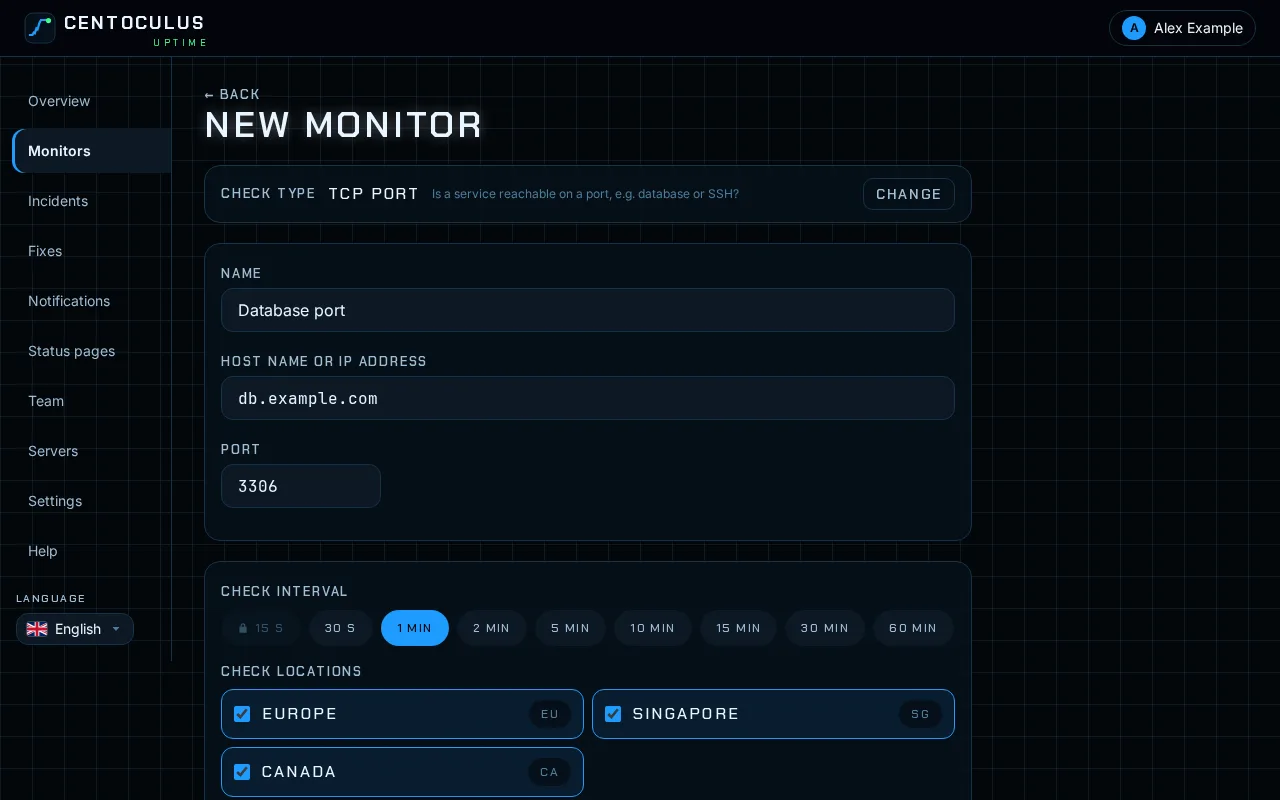
3. Choose interval and locations, then create
Pick the check interval and the check locations, then click Create monitor. The interval and the number of locations depend on your plan.
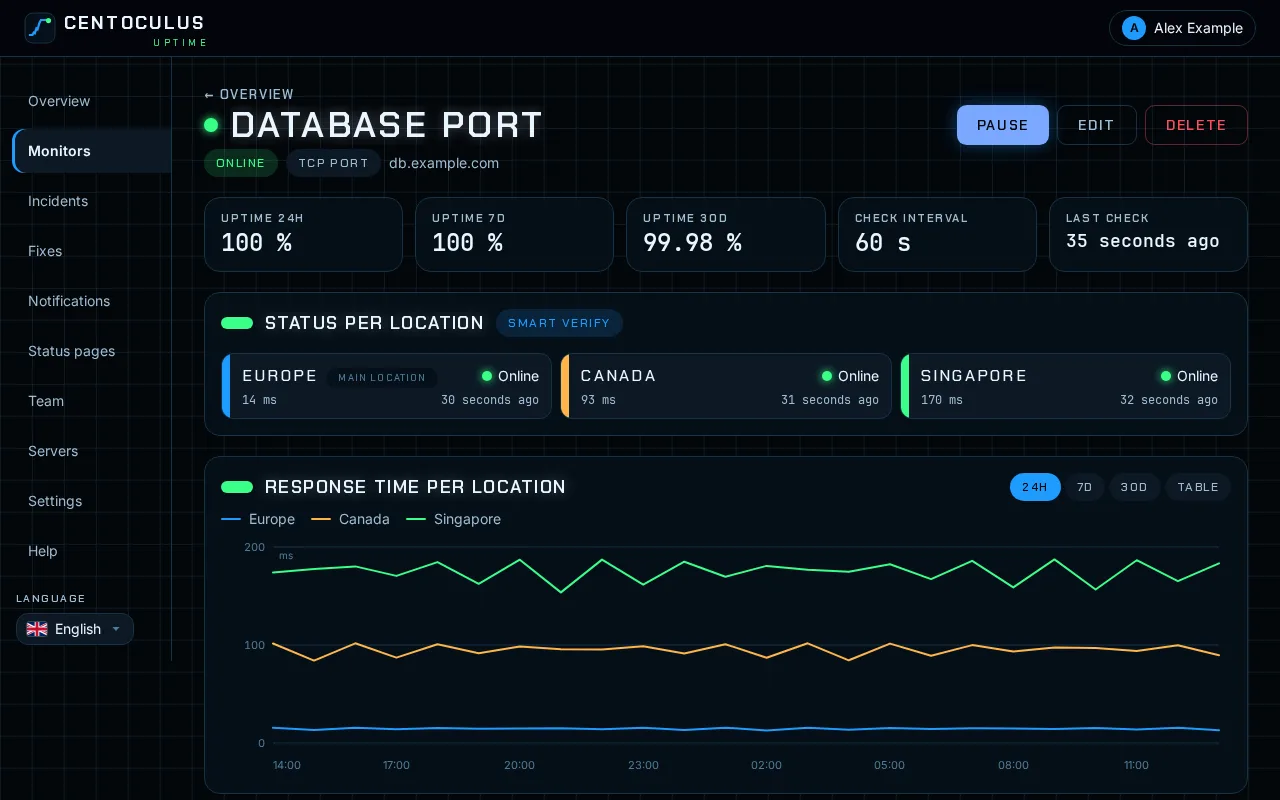
4. Read the results
The monitor page shows per location whether the port is reachable and how long the connection took.
Typical ports
| Service | Port |
|---|---|
| SSH | 22 |
| SMTP (server to server) | 25 |
| SMTP submission with TLS | 465 |
| SMTP submission | 587 |
| IMAP with TLS | 993 |
| POP3 with TLS | 995 |
| MySQL / MariaDB | 3306 |
| PostgreSQL | 5432 |
| Redis | 6379 |
| RDP | 3389 |
Fields and defaults
| Field | What it does | Default |
|---|---|---|
| Host name or IP address | Server that is connected to | – |
| Port | TCP port, 1 to 65535 | required |
| Check interval | How often the check runs | 1 minute, depending on your plan |
Frequently asked questions
My database should not be open to the internet. How do I monitor it?
Do not open the database port for this. Install the server agent instead: it connects outbound only and monitors the database service from the inside.
The port monitor reports down, but the service runs. Why?
A firewall drops connections from outside, or the service only listens on 127.0.0.1. Check with ss -tlnp on the server which address the service listens on. The guide on connection refused covers the common causes.
Does the check log in or send data?
No. It only opens the TCP connection and closes it again. It shows that the service accepts connections, not that it answers correctly.
Can I check UDP ports?
No. The check type uses TCP connections.
Related
Free tool
Website down checkerMore help pages
- How to monitor a website with Centoculus
- How to monitor SSL certificates with Centoculus
- How to monitor a host with ping in Centoculus
- How to monitor DNS records with Centoculus
- How to monitor a cron job with Centoculus
- How to check SPF, DKIM and DMARC with Centoculus
- How to test email delivery with Centoculus
- How to monitor a server with the Centoculus agent
- How to set up check locations and alerts in Centoculus